
Inventory software
Know exactly what stock you have
See what is on hand, reserved and incoming, with a ledger that keeps every movement.
How it works
Stock that follows every purchase and sale
Goods arrive, sit in a warehouse and leave with a sale. KhataIN records each step, so the number on screen matches the shelf.
Order from a supplier
Raise a purchase order for what you need.
Receive the goods
Record what arrived, with batch and expiry where you use them.
Stock goes up
On hand, reserved and incoming update by warehouse.
Sell and it goes down
Every invoice and counter sale reduces stock on its own.
What it changes for you
Know what you have
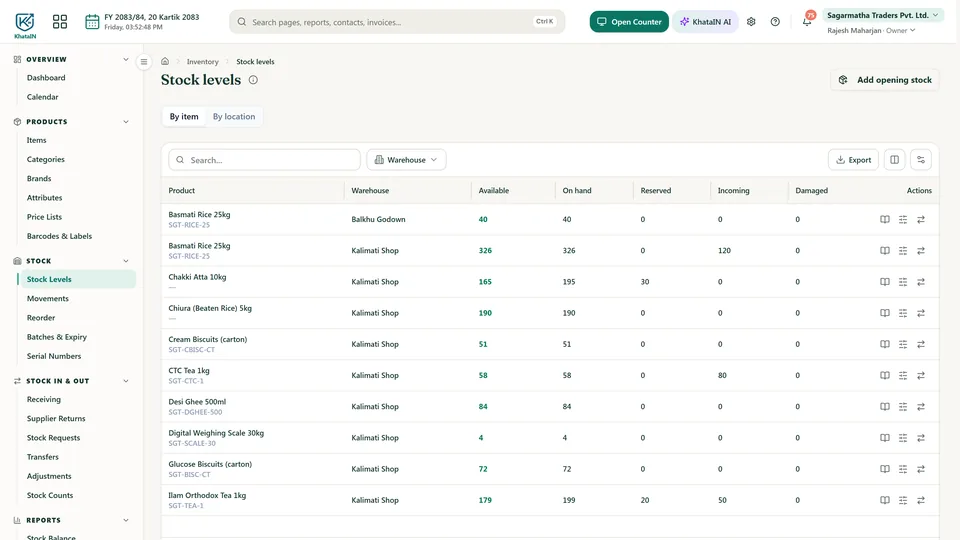
Available, on hand, reserved and incoming for every item.
Catch expiring stock
See batches that are close to their expiry date.
A record of every move
The stock ledger shows where each item went.
Inside KhataIN
See it in the app
Real screens from KhataIN, showing a demo business with made-up names and figures.
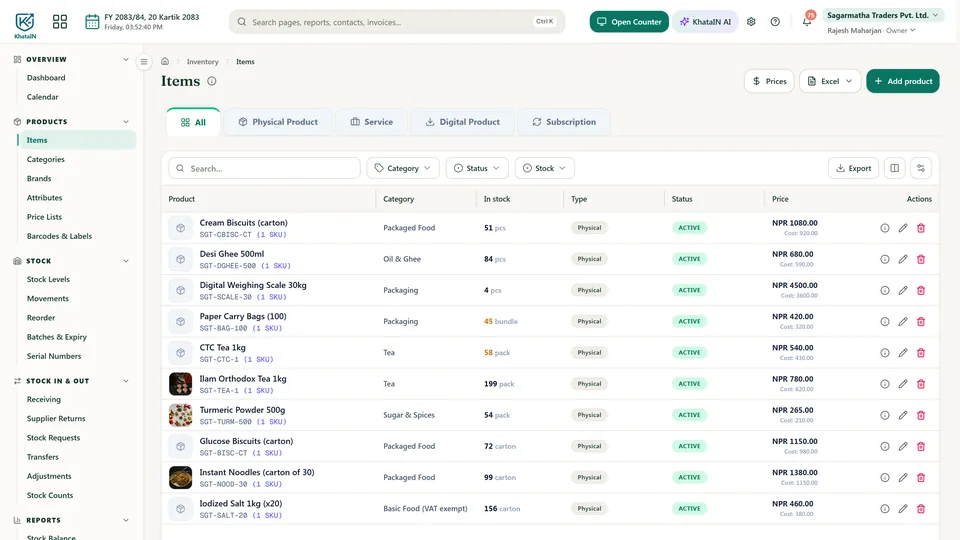
Your items in one place
Category, stock on hand, type and price for every product.
Stock levels by warehouse
Available, on hand, reserved and incoming, side by side.
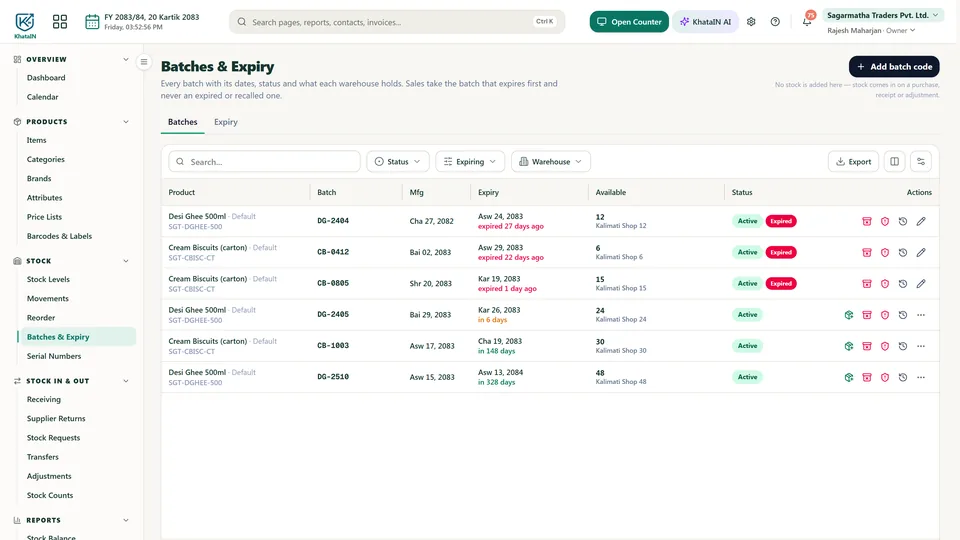
Batches and expiry
Each batch with its dates, stock and how long it has left.
What you can do
Live stock levels
On hand, reserved and incoming, for every product.
Stock ledger
Every movement is recorded, so you can see where stock went.
Batches and expiry
Track batches and see what is close to expiring.
Barcode labels
Print labels for your products and scan them at the counter.
Warehouses and transfers
One warehouse on Starter. Multiple warehouses and transfers on Pro.
Weight and serial numbers
Track products by quantity, batch, serial number or weight.
Questions people ask
Does a sale reduce stock automatically?
Yes. Sales flow into stock and accounting, so you do not enter them twice.
Can I bring in my opening stock?
Yes. You can import opening stock from Excel.
More in KhataIN
- AccountingBooks, reports and reconciliation
- Billing & invoicingQuotations, invoices and payments
- POS counterFast sales at the counter
- VAT & taxVAT returns and tax registers
- PurchasingOrders, bills and suppliers
- People & WorkStaff, attendance, leave and letters
- PayrollMonthly salary sheets
- WebsitesBusiness and personal websites
- KhataIN FirmFor accounting, tax and audit firms
- Personal financesSpending, budgets and goals
Bring your business into KhataIN
Register your company and start free. Have questions first? Talk to us.