
VAT and tax
VAT returns prepared from your own records
KhataIN prepares your VAT return from what you have posted, for you to review. You stay in control of what you file.
How it works
Your VAT return, built from what you already recorded
You keep selling and buying as normal. KhataIN collects the VAT from each document and prepares the return for you to check.
Sales and bills are posted
Each one carries its VAT.
The register fills up
Sales and purchase VAT are listed with their documents.
The return is prepared
KhataIN works out the figures from your posted records.
You review and file
Check the return, then file it yourself or with your accountant.
What it changes for you
No last-minute totals
The figures build up as you work.
See where each number comes from
Every figure in the return links back to its documents.
Know what is due
The Tax Center shows overdue, due soon and filed.
Inside KhataIN
See it in the app
Real screens from KhataIN, showing a demo business with made-up names and figures.
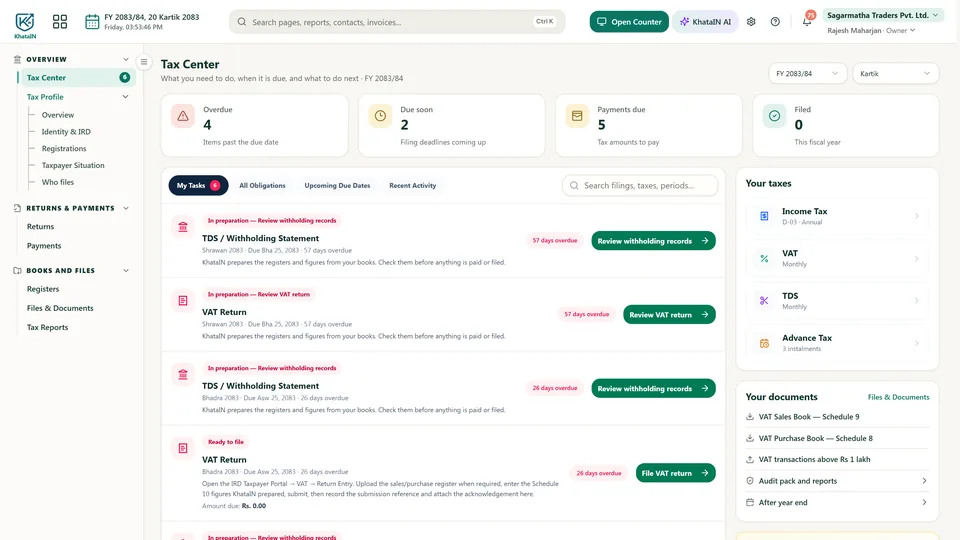
Tax Center
Overdue, due soon and filed, with what to do next.
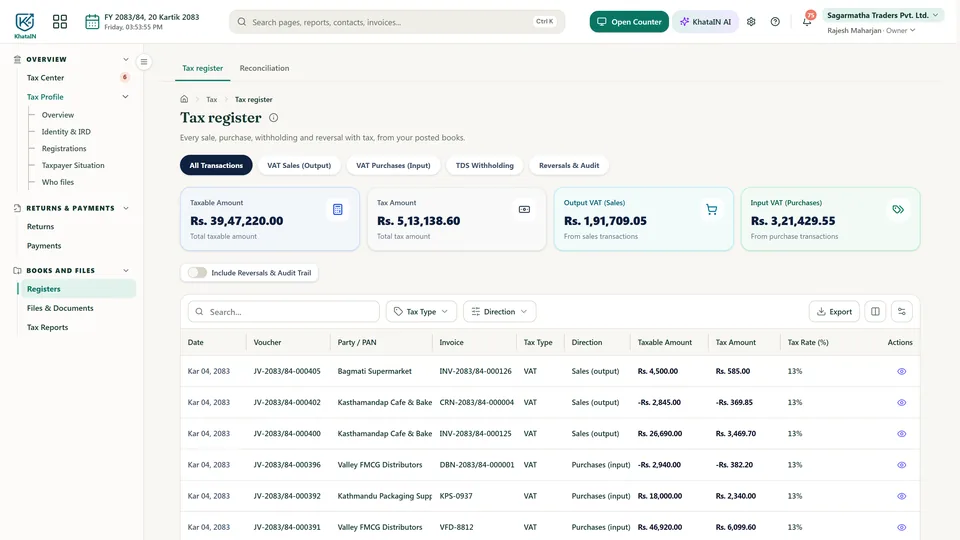
The tax register
Sales and purchase VAT with the document behind each line.
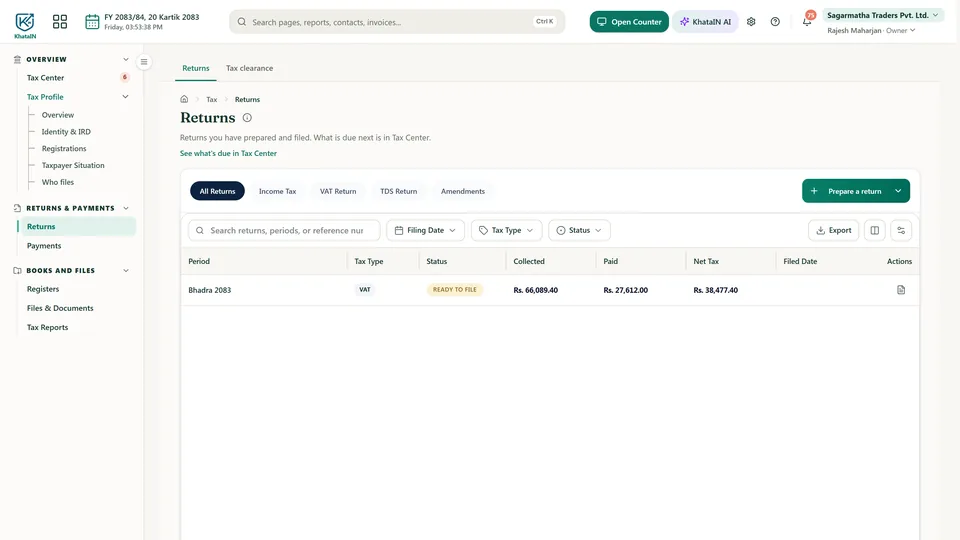
Prepared returns
Each period's return, its tax and whether it is ready to file.
What you can do
Tax Center
Your tax work in one place, built from your tax profile.
VAT returns
Prepared from your posted records, for you to review.
Tax register
See where every figure in your return comes from.
VAT and TDS registers
Keep the registers ready when you or your accountant need them.
PAN on every bill
Keep your PAN in your Tax Profile, and Smart Scan reads the vendor's PAN from bills.
Accountant access
Give your accountant or tax preparer only the filings they need.
The Tax Center is in Business Starter and Pro. It is not included in Business Free.
Questions people ask
Does KhataIN file my VAT return for me?
It prepares the return from your posted records for you to review. Checking and filing stay with you or your accountant.
More in KhataIN
- AccountingBooks, reports and reconciliation
- Billing & invoicingQuotations, invoices and payments
- InventoryStock, batches and warehouses
- POS counterFast sales at the counter
- PurchasingOrders, bills and suppliers
- People & WorkStaff, attendance, leave and letters
- PayrollMonthly salary sheets
- WebsitesBusiness and personal websites
- KhataIN FirmFor accounting, tax and audit firms
- Personal financesSpending, budgets and goals
Bring your business into KhataIN
Register your company and start free. Have questions first? Talk to us.